 LaunchMon
LAUNCHD FIELD NOTES
How to stop a launch agent on a Mac
Use launchctl kill for a temporary stop, or bootout to remove the job’s registration without deleting its plist.
Start in Terminal
These examples use a placeholder label. Substitute the exact Label from your own plist, not its filename.
launchctl print "gui/$(id -u)/local.example"
launchctl bootout "gui/$(id -u)/local.example"
What to check next
Replace local.example with your own third-party job’s Label. Unloading can interrupt work. To load it again, use launchctl bootstrap "gui/$(id -u)" "$HOME/Library/LaunchAgents/local.example.plist". To persistently prevent future loads, use disable with the service target; enable reverses that override.
Why it happens
Stop, unload, and disable have different meanings. A stop signals the current process. Unload removes the service registration. Disable changes the persistent permission to load; it does not stop a running job by itself.
User agents usually run in gui/<your uid>; system daemons run in system. The same label in different domains refers to different service registrations.
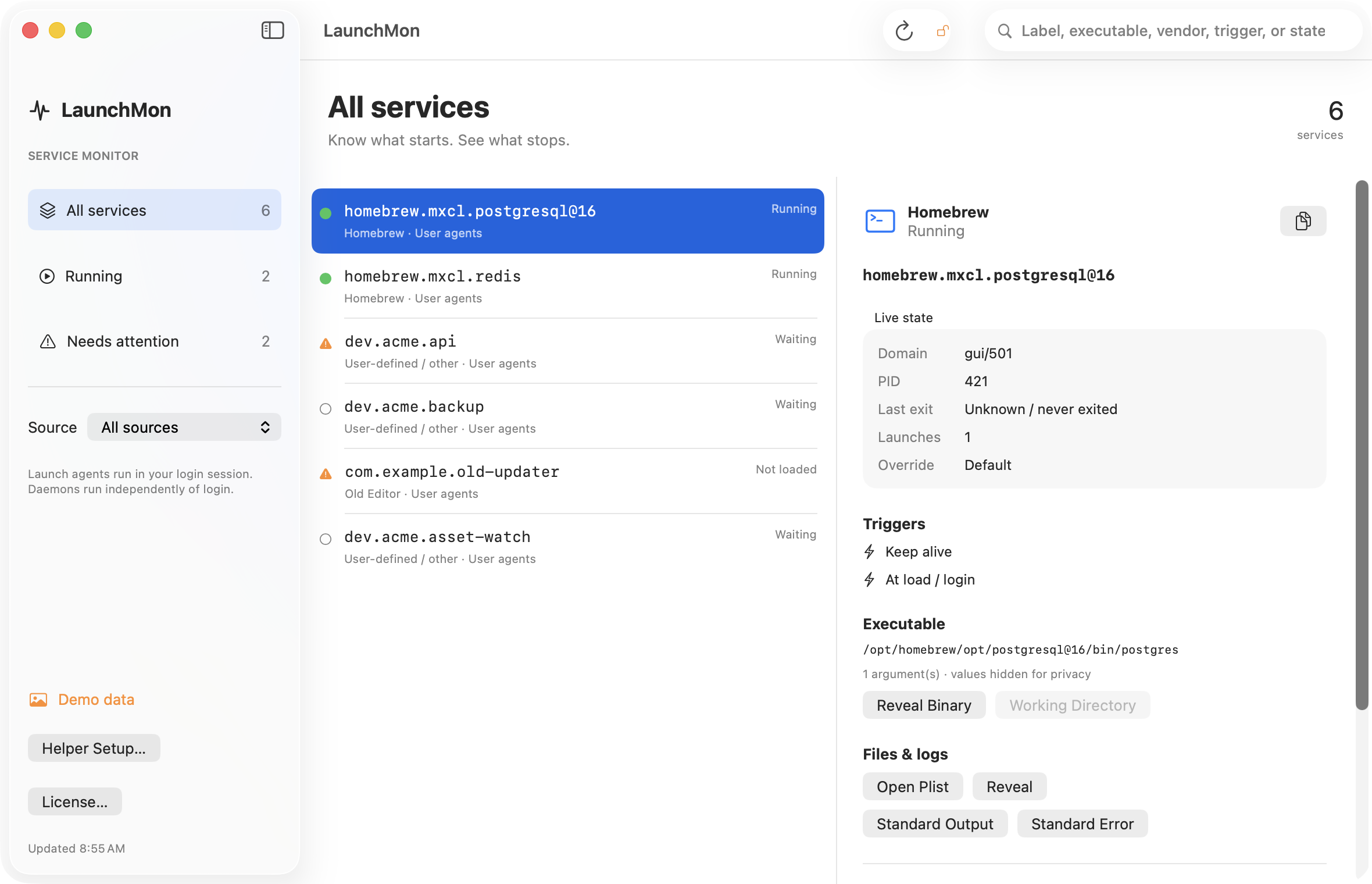
See it in LaunchMon
LaunchMon brings the plist, triggers, runtime state, and configured log paths together.
Related guides
References: Apple: creating launchd jobs. For commands on your macOS version, run man launchctl and man launchd.plist.