01 / INVENTORY
Meet your background crew.
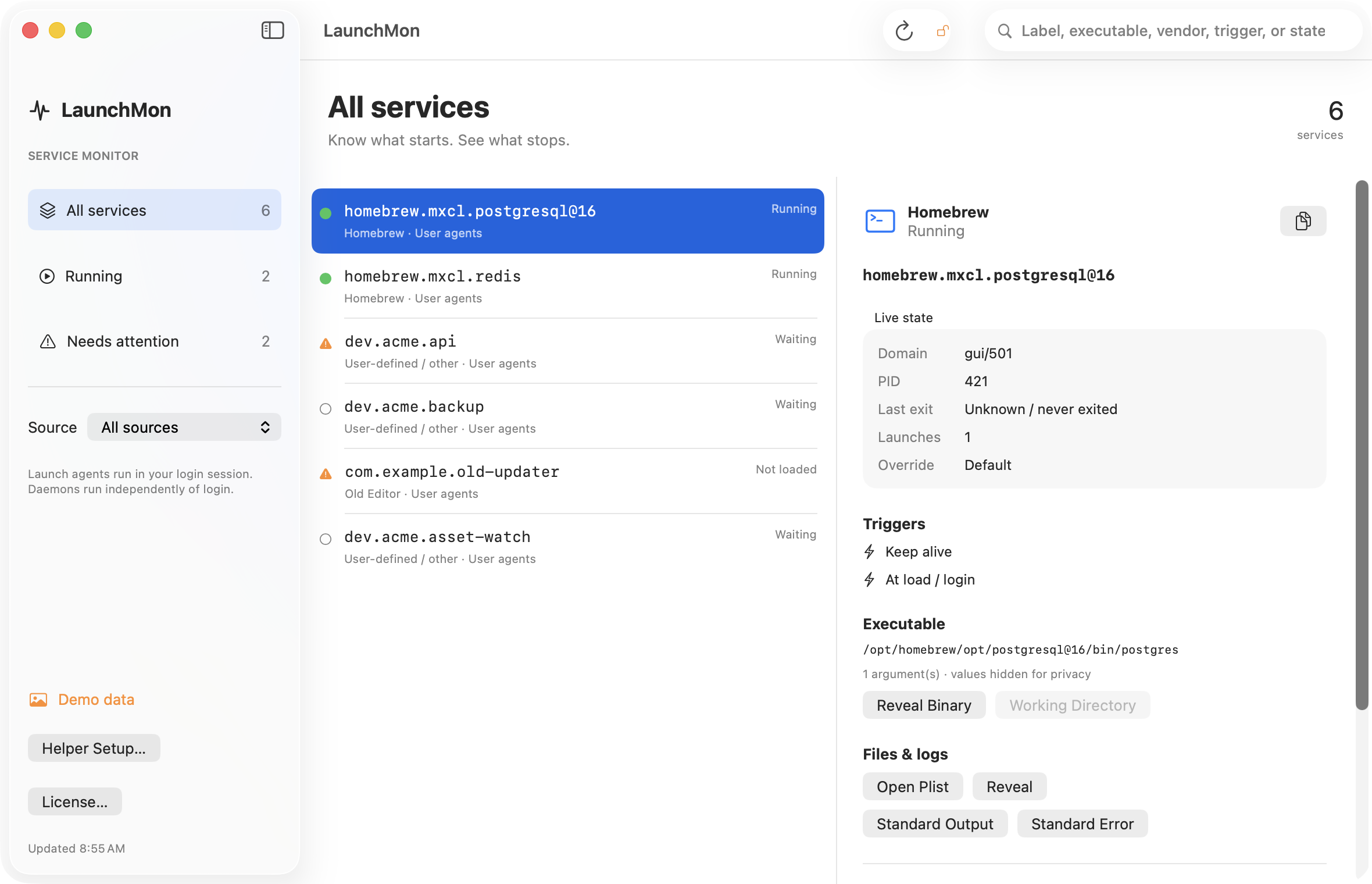
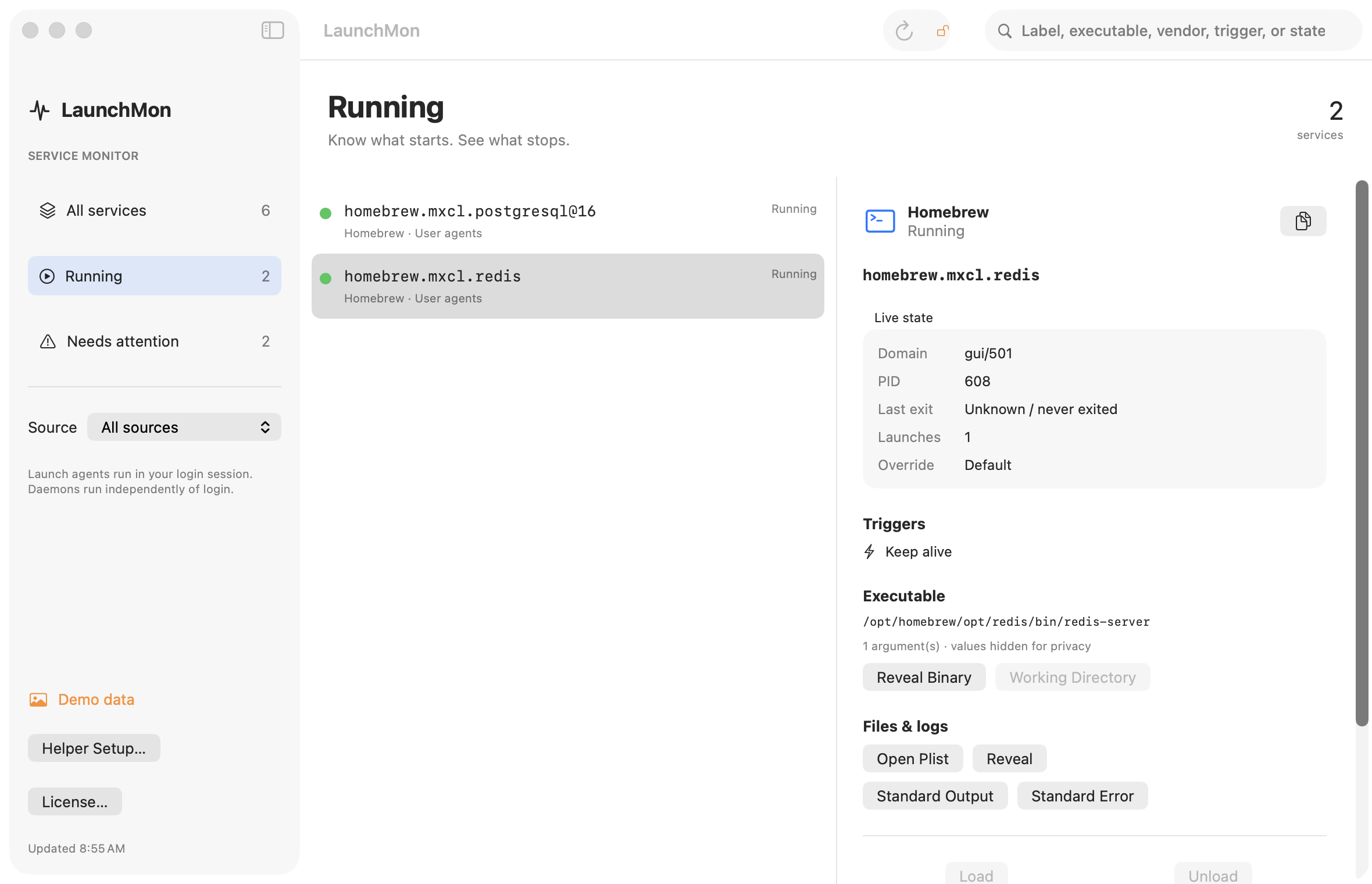
Apple agents, Homebrew services, your own scripts, and runtime services. Search by label, executable, vendor, trigger, or state.
 LaunchMon
A LITTLE CLARITY FOR YOUR BACKGROUND PROCESSES
That service that won’t start. That updater that won’t stop. Meet the native launchd monitor that makes your background jobs understandable.
macOS 14+ · 14-day full trial · One license for 3 Macs · 12 months of updates included
$ brew trust suresk/tap
$ brew install --cask suresk/tap/launchmon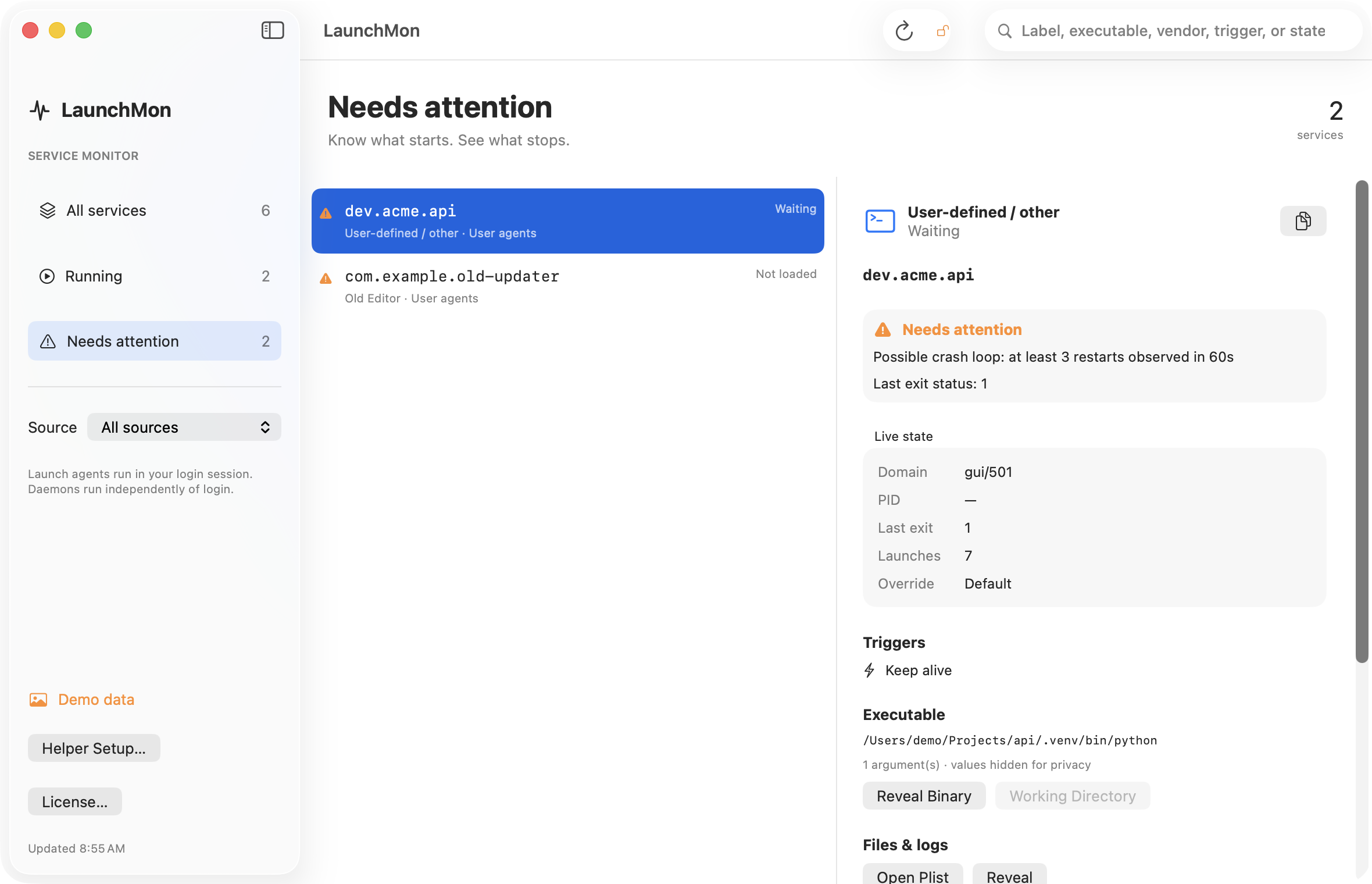
01 / INVENTORY
Apple agents, Homebrew services, your own scripts, and runtime services. Search by label, executable, vendor, trigger, or state.
02 / HEALTH
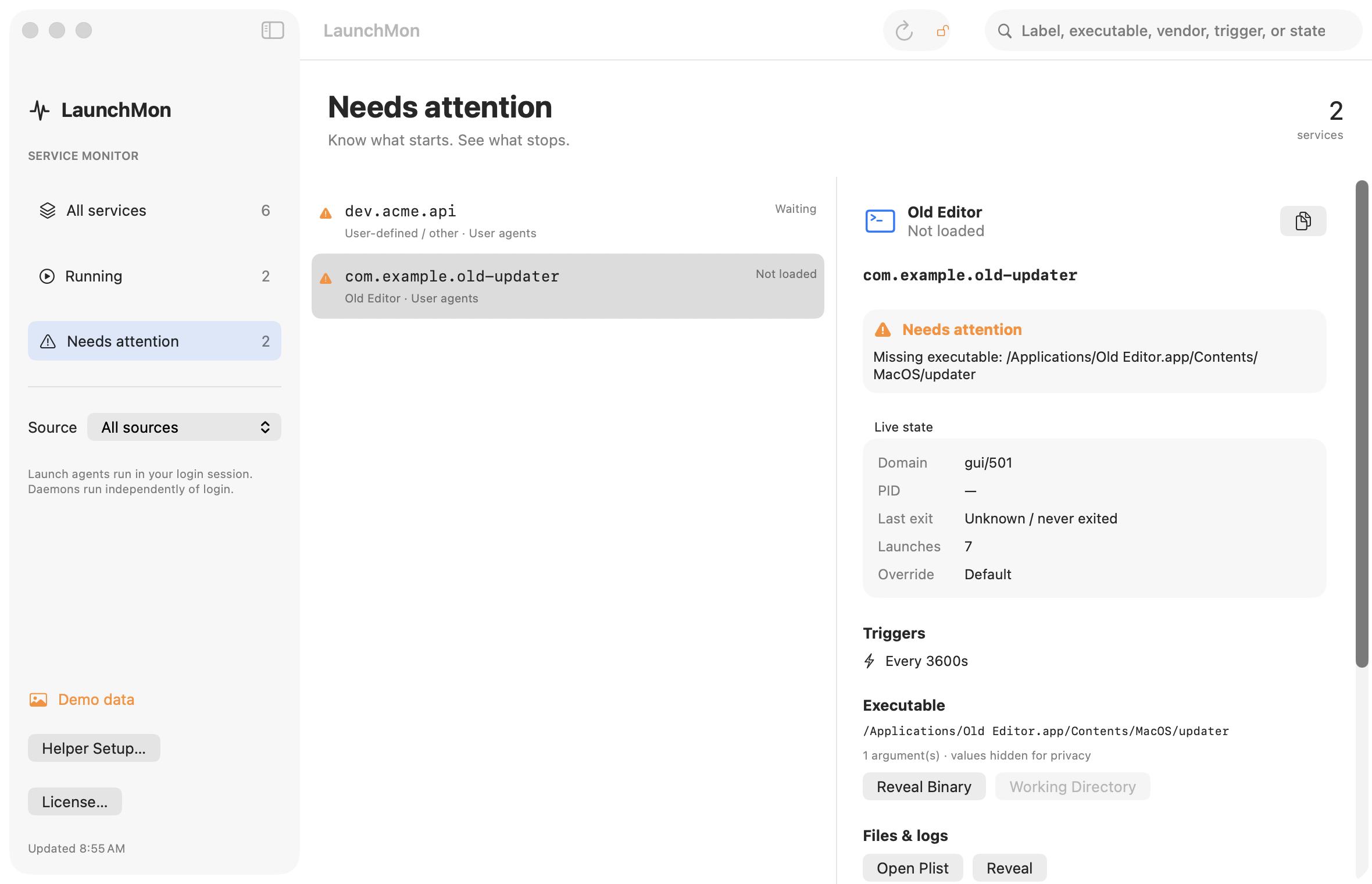
Spot missing binaries, failed exits, and frequent restarts observed while you watch. Waiting for a trigger is a healthy state, too.
03 / CONTROL
Load, unload, start, stop, kick-start, enable, or disable. Each action explains what it will do before you confirm. Open the plist or configured logs directly.
YOUR MAC. YOUR CHOICE.
Reading service state works without root. Changing system daemons requires a small privileged helper, installed only when you choose.
It accepts only LaunchMon signed by the same developer, and controls existing third-party daemons. Apple services stay read-only. Remove the helper any time from LaunchMon.
How permissions work →A TOOL YOU OWN
Use on 3 Macs. Includes 12 months of updates.
Keep using your version after that. Optional updates renewal: $15/year.
14-day full trial. 14-day, no-questions refund policy.
Buy LaunchMon · $29Launch offer: 25% off for the first two weeks with LAUNCH25.
macOS 14 (Sonoma) or newer. Universal binary for Apple Silicon and Intel Macs. Direct download with automatic updates via Sparkle.
Yes. LaunchMon brings its state together with plist inventory, health checks, and log shortcuts. Our guides start with the CLI solution.
It shows plist-based jobs and services registered in launchd’s system, user, and GUI domains. This is not a complete replacement for macOS Login Items settings; dormant app-managed items may not appear.
You can still inspect your services. Controlling them requires a license.
No. Service information stays on your Mac. The app contacts Polar for licensing and GitHub for update checks.
Its launchctl controls and privileged helper require direct distribution outside the App Store sandbox.