 LaunchMon
LAUNCHD FIELD NOTES
launchctl bootstrap failed: 5 — what to check
Check plist syntax, target domain, existing registration, file ownership, and the executable before retrying bootstrap.
Start in Terminal
These examples use a placeholder label. Substitute the exact Label from your own plist, not its filename.
plutil -lint "$HOME/Library/LaunchAgents/local.example.plist"
launchctl print "gui/$(id -u)/local.example"
What to check next
Error 5 is not a unique diagnosis. Check that Label exists, Program or ProgramArguments names a usable executable, and referenced directories exist. Do not run sudo just to silence the error: a user agent belongs in your GUI domain. For a system daemon, check its root ownership and restrictive permissions.
Why it happens
Invalid configuration, an already registered label, wrong ownership, and using the wrong domain can all prevent loading. Read the more specific diagnostic and unified logs before changing anything.
User agents usually run in gui/<your uid>; system daemons run in system. The same label in different domains refers to different service registrations.
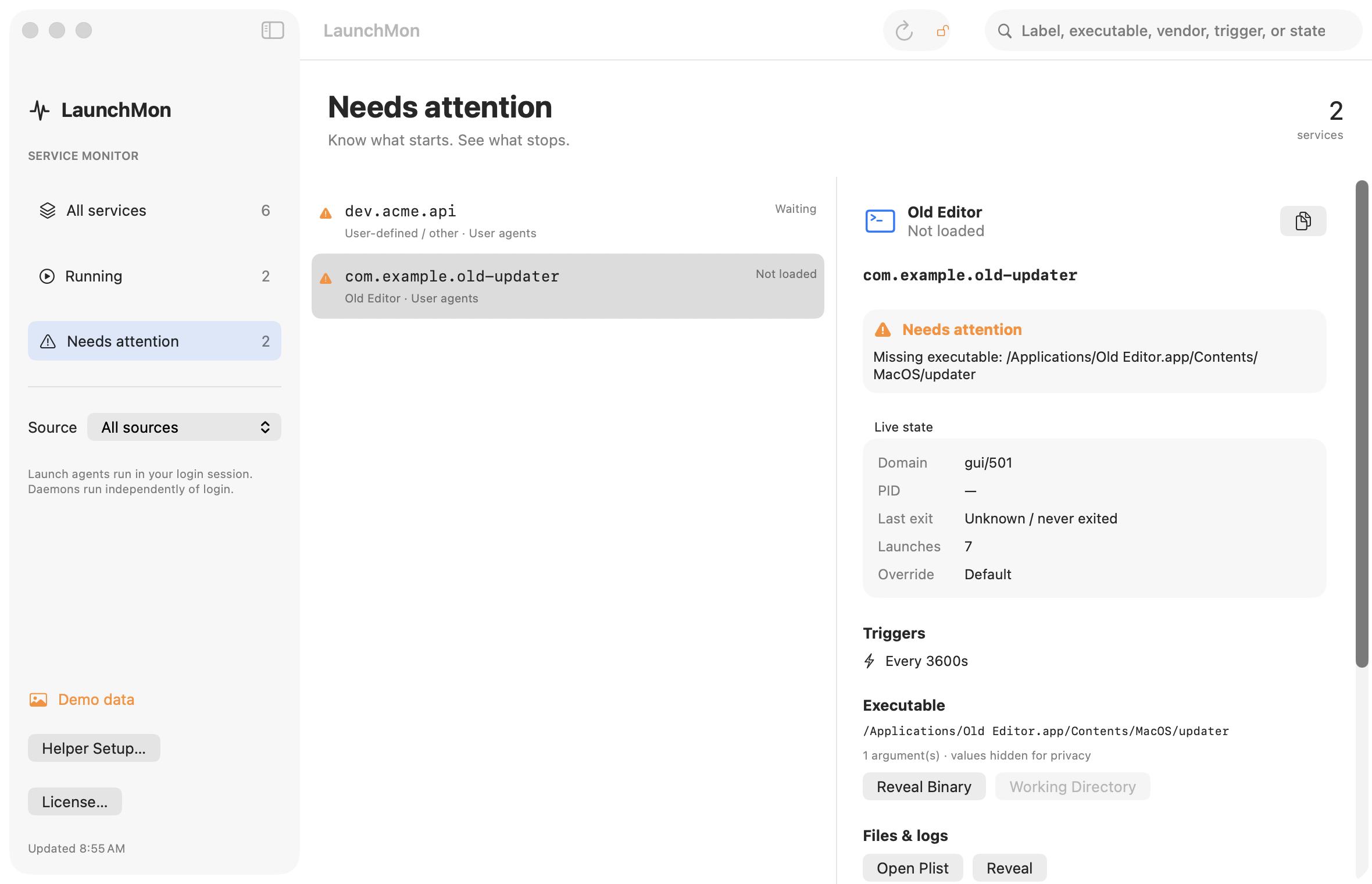
See it in LaunchMon
LaunchMon brings the plist, triggers, runtime state, and configured log paths together.
Related guides
References: Apple: creating launchd jobs. For commands on your macOS version, run man launchctl and man launchd.plist.